Meeting minutes · engineering offices
Every meeting item, tracked until it is closed.
Wellacta keeps the minutes of site meetings: entry during the meeting, distribution as a PDF, replies from contractors on their items and follow-ups by email. For HVAC, electrical and building automation engineering offices.
Your office opens as soon as you confirm your address, with a demo project already filled in. No commitment, no payment card.
In one minute
A meeting in Wellacta
Items carried over from the previous minutes, distribution as a frozen PDF, replies from contractors with or without an account, a photo taken on a phone. 66 seconds, no sound, on-screen text.
In the meeting
What Wellacta changes
Nothing is lost between two meetings
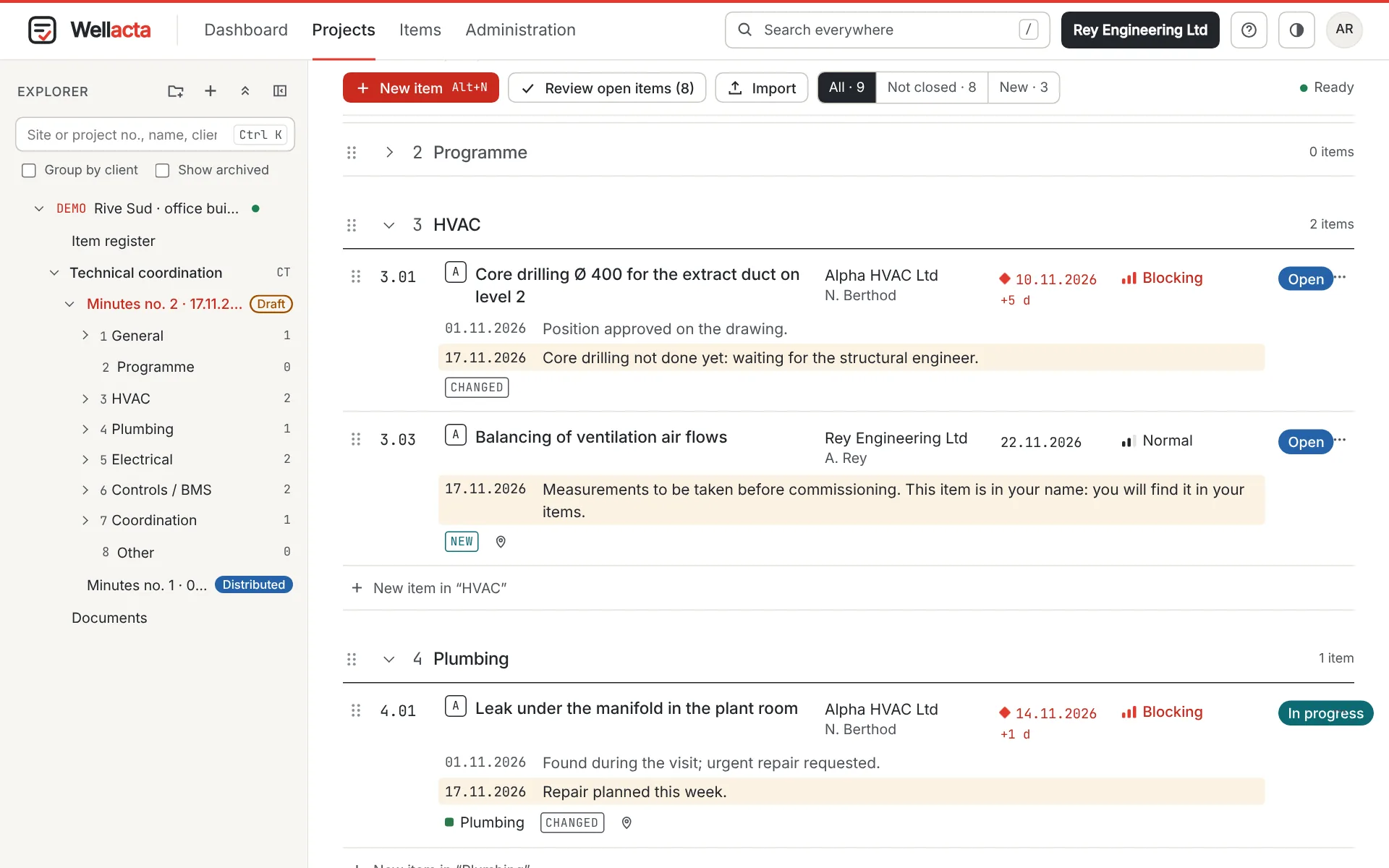
The open items of the previous minutes are carried over into the next ones automatically, with their number and history. An item stays in the minutes until it is closed.
Delays are visible
Every item has an owner and a due date. Overdue items show in red and are followed up by email, without the minute taker having to do anything.
Replies arrive before the meeting
Contractors reply on their items from the link in the email, photos included. The minute taker finds their replies in the minutes being prepared.
The life of an item
From the meeting to closure
-
01
Prepare
One project per site, its parties taken from the address book and the chapters of an office template. “New minutes” carries over the open items of the previous ones.
-
02
Enter during the meeting
Items are entered live, by chapter, with owner, due date and urgency. Every field is saved as you go.
-
03
Distribute
The minutes go out as a frozen PDF in the office’s style, with the invitation to the next meeting for the calendar. Everyone can approve them or add a remark.
-
04
Follow up
Contractors reply and tick “Done”. Delays are followed up; the project manager approves the closure of each item.
The demo project
A project already filled in from day one
Every trial office opens with a fictitious project. Nothing to enter to see Wellacta at work; your real projects are created alongside it.
- Distributed minutes, with a remark from a contractor.
- The next minutes in preparation, items carried over and delays in red.
- An item in your name and a plan with pins.
- Fictitious parties without an address: no email is sent.
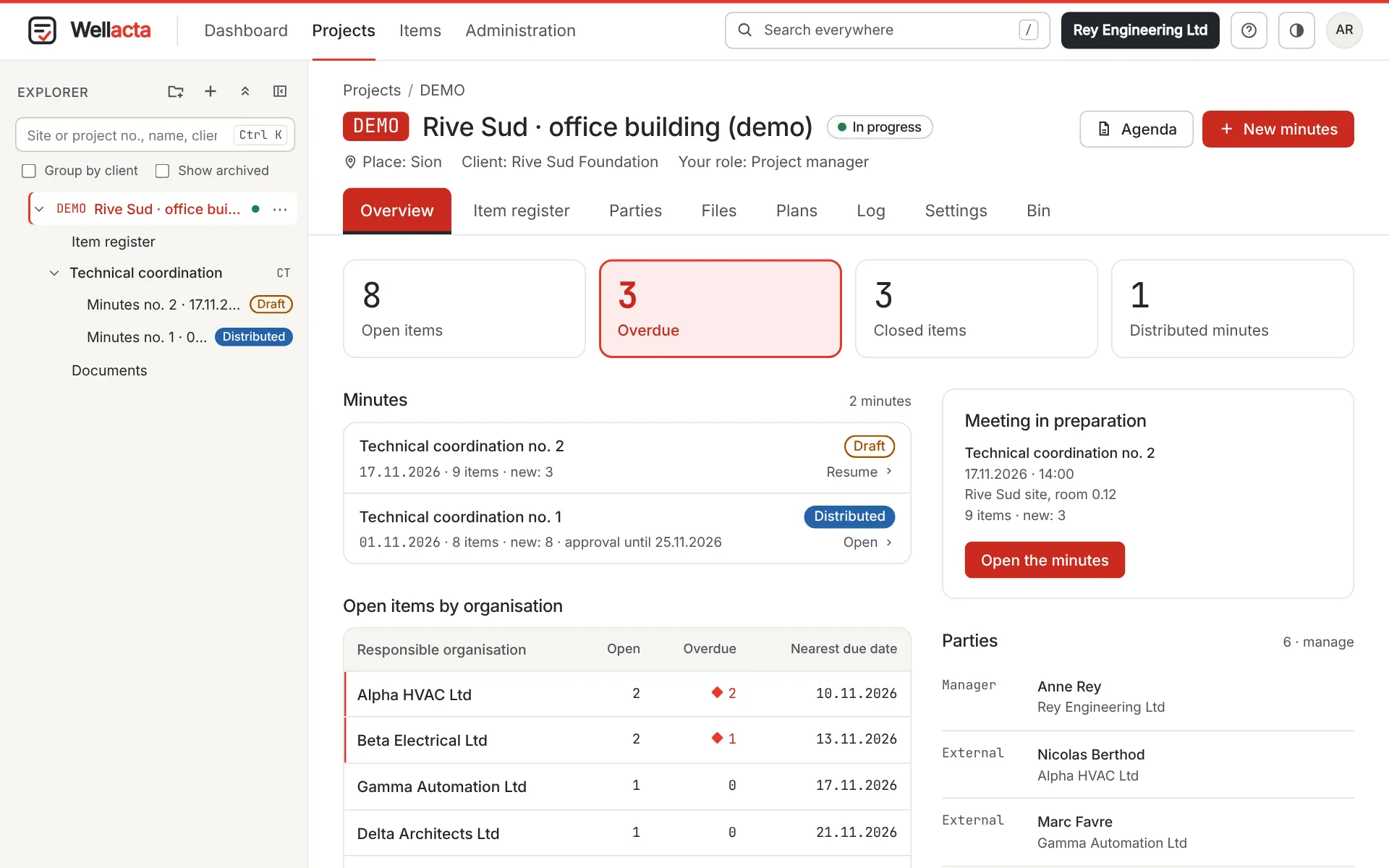
Project overview: open items, delays, distributed minutes, meeting in preparation.
Who it is for
The office writes, the parties reply
Engineering offices
Trades, meeting types and standard chapters come ready for HVAC, electrical and building automation. They can be changed in the office administration: Wellacta also works for other trades.
Contractors and clients
External parties are invited by the office, free of charge. They read the distributed minutes and reply on their organisation’s items, with or without an account.
In the office and on site
Computer, tablet or phone, in the browser, nothing to install. Interface in English, French and German, in light or dark mode.
Security
Hosted in Switzerland, closed to outsiders
An office’s minutes are project documents. Wellacta keeps them in Switzerland and closes them to anyone the office has not invited, including the platform operator.
Security and hosting- Application, data and backups at Infomaniak, in Switzerland.
- Two-factor authentication, mandatory for office administrators.
- The operator sees usage figures, not the content of projects.
- Every action recorded in a chained log; distributed minutes never change.
Try Wellacta on a real project
30 days, 5 accounts and 500 MB, with a demo project. Then an annual licence per office, external parties included.